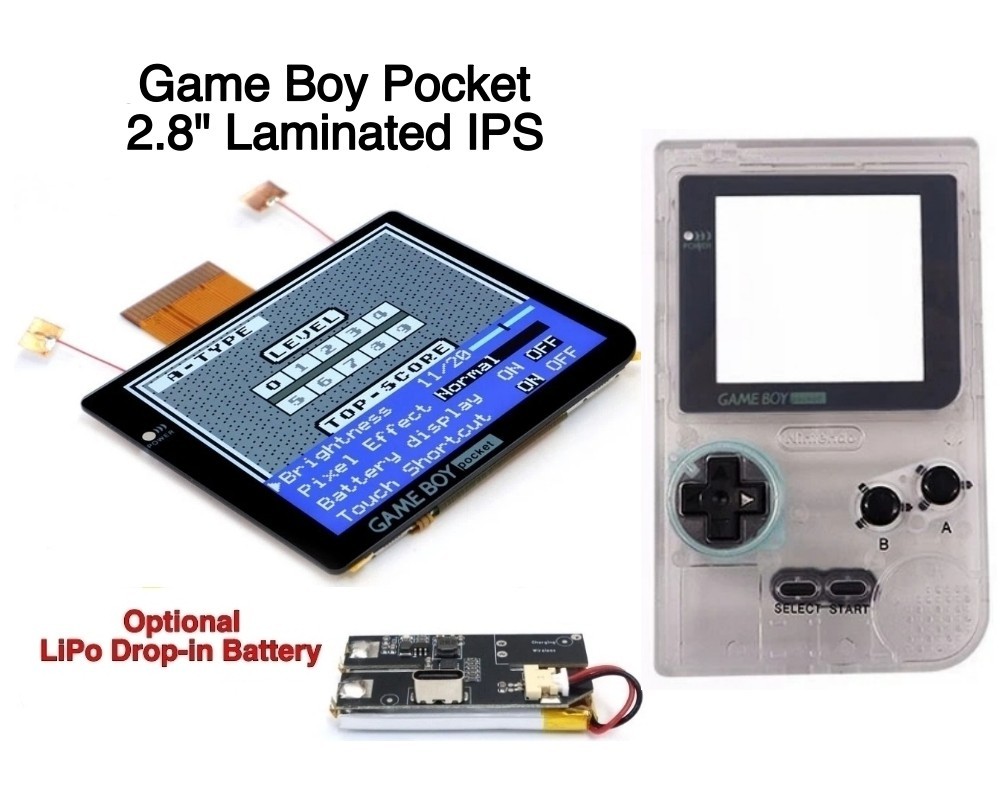
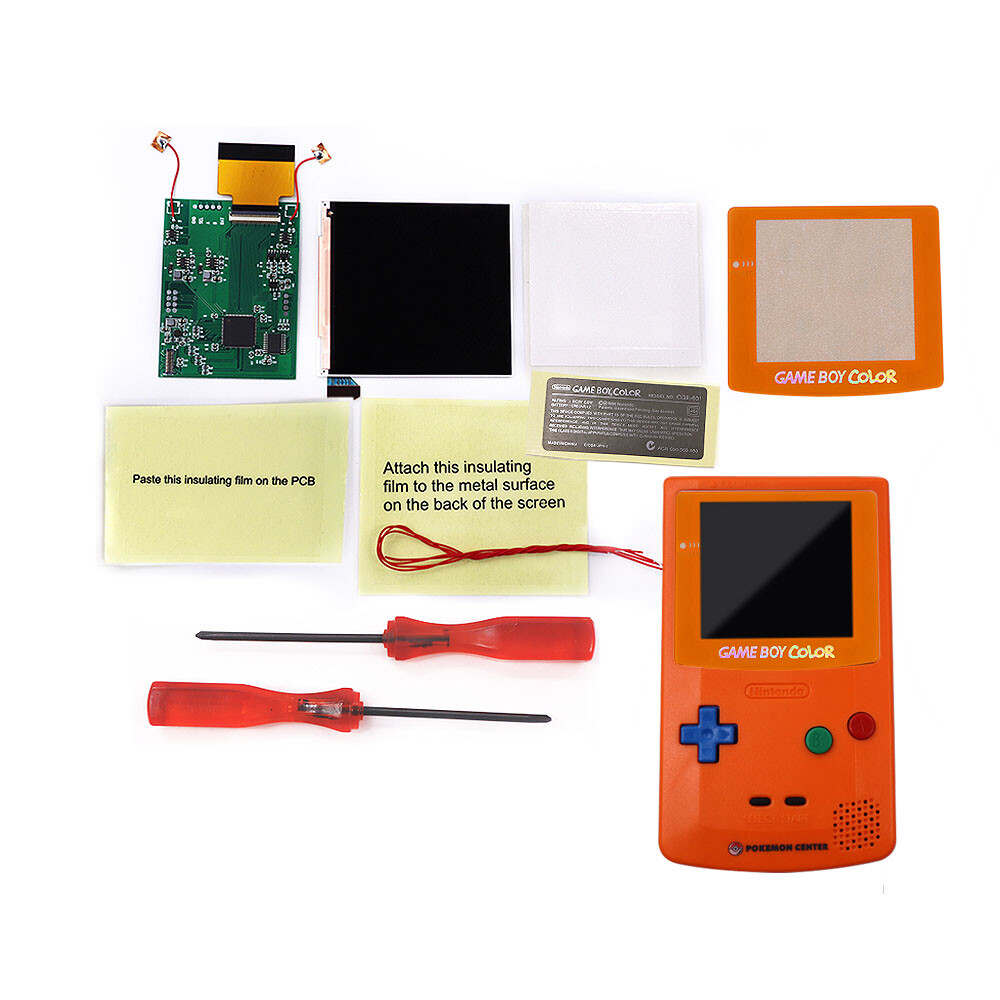
When you're deciding which handheld to mod, the first question is whether your project is built around a Game Boy Pocket or a Game Boy Color. Both systems have small, dim original screens, and the upgrade paths are very different. On one side you have a complete Game Boy Pocket IPS kit with a new housing and a rechargeable battery. On the other, a focused GBC Q5 IPS OSD backlight kit that slides into your existing Game Boy Color housing. Here's how these two gaming replacement parts modding options compare.
Quick Verdict
Pick the Game Boy Pocket Laminated IPS Kit if you want a full bundle with the largest display available for the GBP and you're okay with soldering for power. Choose the GBC Q5 IPS OSD Mod Kit if your project is a Game Boy Color and you'd rather spend roughly $51.50 less while still getting on-screen controls, a 15% larger display, and an optional no-solder control path.
Comparison
| Product | Price | Price Bar | Compatibility |
|---|---|---|---|
| Game Boy Pocket IPS Kit | $104.99 | Nintendo Game Boy / Pocket | |
| GBC Q5 IPS OSD Mod Kit | $53.50 | Nintendo Game Boy Color |
Where Each Product Wins
- The Pocket kit wins for anyone looking for an all-in-one refresh. It pairs an IPS screen with a new shell, and the display is 22% larger than the original with 480x432 integer scaling. Built-in controls give you 20 brightness levels and five retro pixel effects.
- The GBC kit wins on price and on fitting a Game Boy Color. It adds a 15% larger viewing area than the original and a battery-level display. Because the touchpad controls can handle brightness and pixel effects without soldering, you can keep the installation simple if you skip the physical control buttons.
Game Boy Pocket Laminated IPS Kit
The Hispeedido kit is a complete front-end upgrade for a Game Boy Pocket. It includes a laminated glass LCD, a replacement shell, and a rechargeable LiPo battery charged through USB-C. This panel is 22% larger than the original screen, runs at 480x432 with integer scaling, and offers wide viewing angles. The screen menu can be operated either by touch sensors or by soldering wires for button controls, and you'll need one solder connection for power regardless of which method you choose. It also supports image position adjustment. The main limitation is that it's an upgrade kit, so you have to supply the original Game Boy Pocket motherboard, and the soldering requirement means it isn't a no-solder drop-in.
GBC Q5 IPS OSD Mod Kit
The GBC Q5 IPS OSD mod kit is a practical, lower-cost display swap for the Game Boy Color. It includes a battery level display, image position adjustment, and a built-in menu for adjusting brightness and color modes. If you don't need the screen menu, you can use the touchpad instead of soldering wires, which keeps the install simple. The kit's scope is more limited than the Pocket bundle: it's designed for the GBC, so it won't help a Pocket. The kit includes the LCD, PCB, and cables, but no shell or battery.
Final Choice by Use Case
If you're rebuilding a Game Boy Pocket and want a single kit that covers the main upgrades, the Hispeedido Pocket kit is the most complete path. If you're keeping your Game Boy Color housing and want a brighter, larger display, the GBC Q5 IPS OSD kit delivers most of that for less. For modders who don't want to source separate parts, the Pocket all-in-one bundle is the easier route. For a GBC screen replacement that costs less, the OSD mod kit is the clearer pick.